


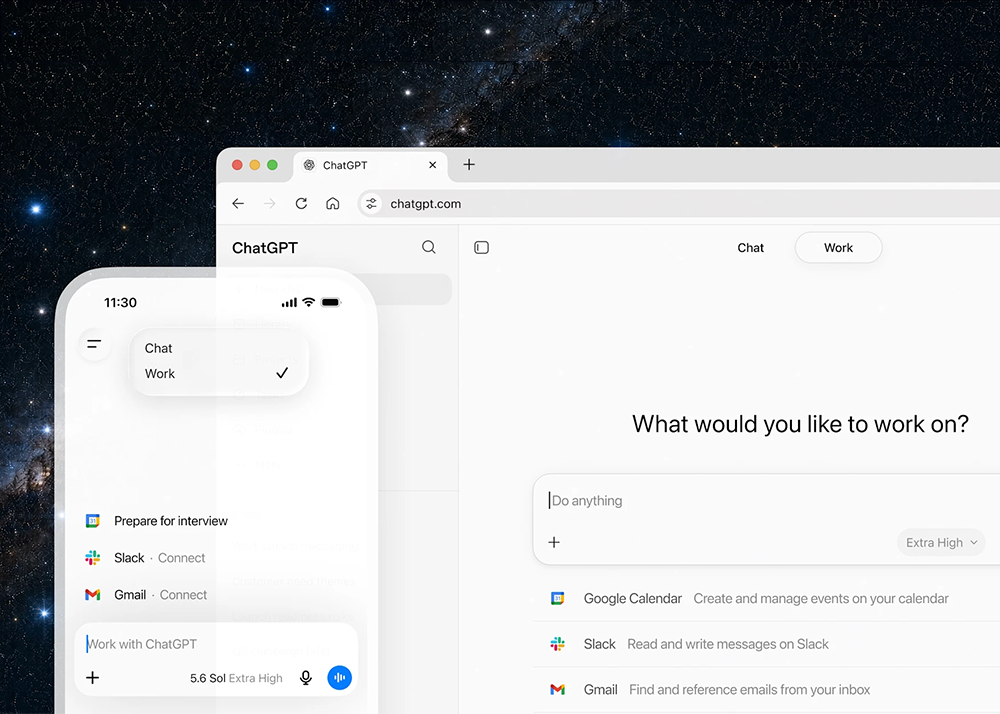
OpenAI introduces ChatGPT Work – an agent in ChatGPT that helps users take on more ambitious tasks. It can gather information across users apps and workflows to create finished materials like sheets, slides, docs, and web apps, and stay with complex projects for hours by breaking them into smaller steps and completing them independently.
With Codex technology built-in, ChatGPT can now move beyond answering questions to getting real work done across web, mobile, and desktop. More than 5 million people use Codex every week.
To better manage these tasks, ChatGPT Work is powered by the latest frontier model, GPT‑5.6, which has also rolled out this month. GPT‑5.6 makes ChatGPT state of the art at reasoning through multi-step tasks and creating materials that follow your templates and reference files.
The best way to use ChatGPT Work is to give it a task already well-known, e.g. analyse a month-end budget variance, turn source materials into a marketing campaign brief, or prepare for a sales meeting. Users can follow its progress, answer questions, change direction, and approve important actions.
They can even ask ChatGPT Work to take on entire workflows with a single request. For example, it can turn customer research into a campaign brief, use that brief to create marketing assets, and adapt those assets for different markets while carrying context through every step.
Even when users are away from their computer or phone, ChatGPT Work can keep projects moving forward with Scheduled Tasks. For example, it can independently turn new messages from Microsoft Teams and Slack into updated docs or slides, then share important changes with your team.
On web and mobile, ChatGPT Work has rolled out for Pro, Enterprise, and Edu plans. It will roll out to Plus and Business plans over the next few days. In the ChatGPT desktop app, Chat, Work, and Codex will be available on every plan, including Free, and is available globally to download on Windows and Mac.
To get started with ChatGPT Work:
Connect the tools and context where your work already happens, using plugins.
Plugins connect ChatGPT to apps and systems like Slack and Microsoft Teams, Google Drive and SharePoint, email, calendars, CRMs, project trackers, and other internal tools. ChatGPT will automatically know when to reference a plugin based on your prompt, but you can also direct ChatGPT to pull context from a specific app by typing “@” followed by the app name in your prompt. The new unified plugins directory brings plugins into one place, and ChatGPT can suggest relevant ones during your conversations.
Once your apps and tools are connected, ChatGPT can understand what you’re trying to do, pull in information from relevant sources, create documents, decks, and analyses, and keep refining drafts in the background while you stay in control.
OpenAI is also introducing Sites in ChatGPT in public beta. With Sites, users can turn their work or ideas into an interactive site or web app and share it with their team or publicly through a URL. Sites are useful when users want to create things like live dashboards, project trackers, launch calendars, prototypes, internal portals, and interactive reports. Users can test the Sites you build right inside ChatGPT and bring fresh web context into your project, too. ChatGPT can also update them as the underlying information changes.
Marketers can turn campaign briefs, docs, and performance data into leadership-ready readouts with clear recommendations for the next launch. ChatGPT Work brings context together and can update the story as new data comes in, so teams can spend less time reporting on past campaigns and more time using insights to make every campaign better.
Example prompt: Analyse the attached email data, then use Adobe Marketing Agent to pull current performance across channels and audience segments from Adobe. Update the deck with the important metrics, key trends, and practical recommendations for improving the next campaign]